
Masar POS

From cashier to accountant

One system with 56+ screens covering sales, kitchen, inventory, purchasing, reports and VAT. Windows at the register, Android on the floor, and it keeps selling when the internet drops.

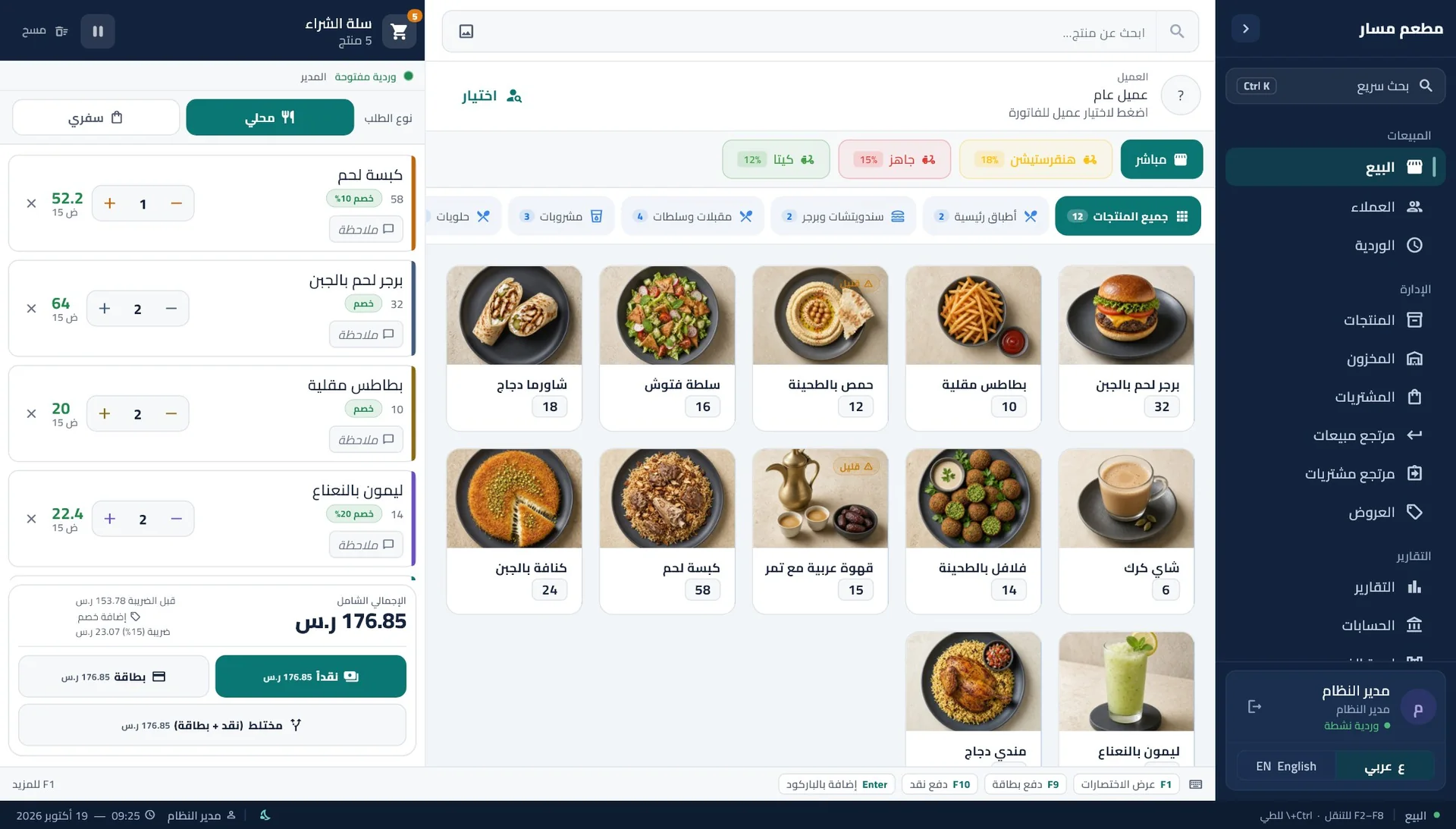
Masar POS with its sidebar: sales, customers, shifts, products, inventory and reports

One system at the register and on the phone

The same items, prices and invoices on Windows and Android. The waiter takes the order at the table, the cashier takes payment, the kitchen gets it.

  • Windows at the register: a fast app with no browser, by touch or keyboard

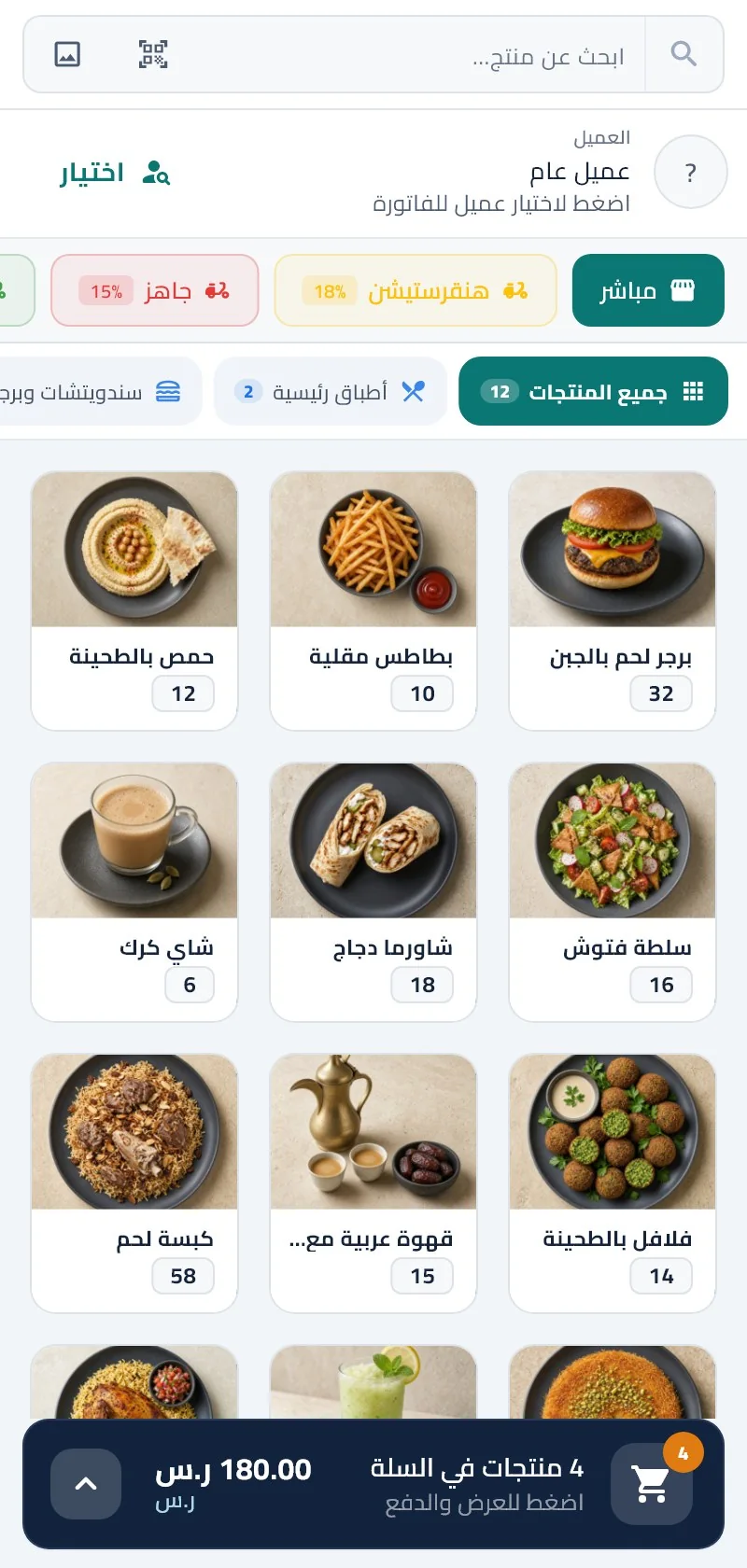
  • Android on the floor: the same system on phones and tablets

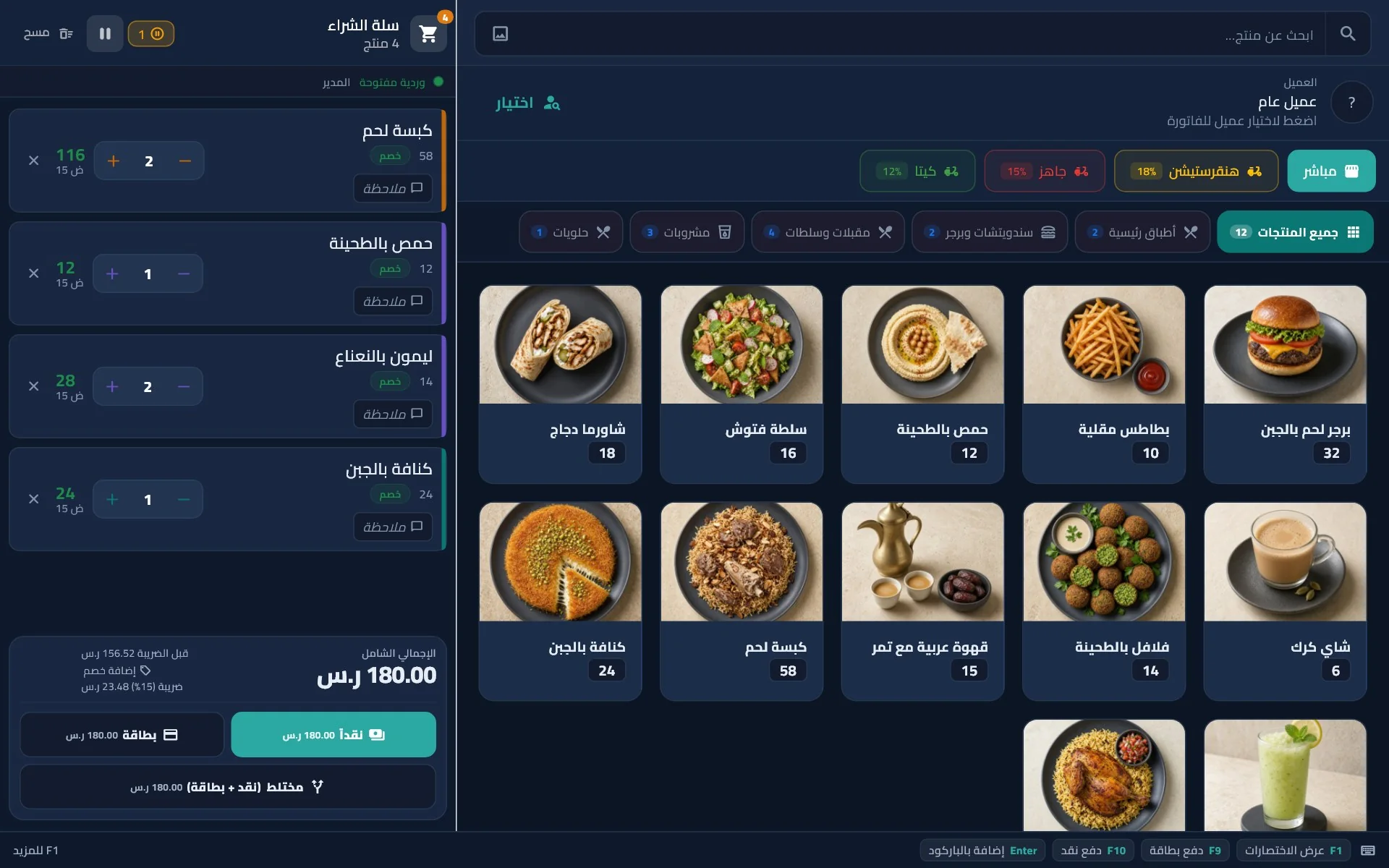
The same sales screen in night mode with dark colors
Masar POS on an Android phone: the item menu and a SAR 180 cart

A tour inside the system

Real screens from Masar POS. Pick a module and see it the way your team does.

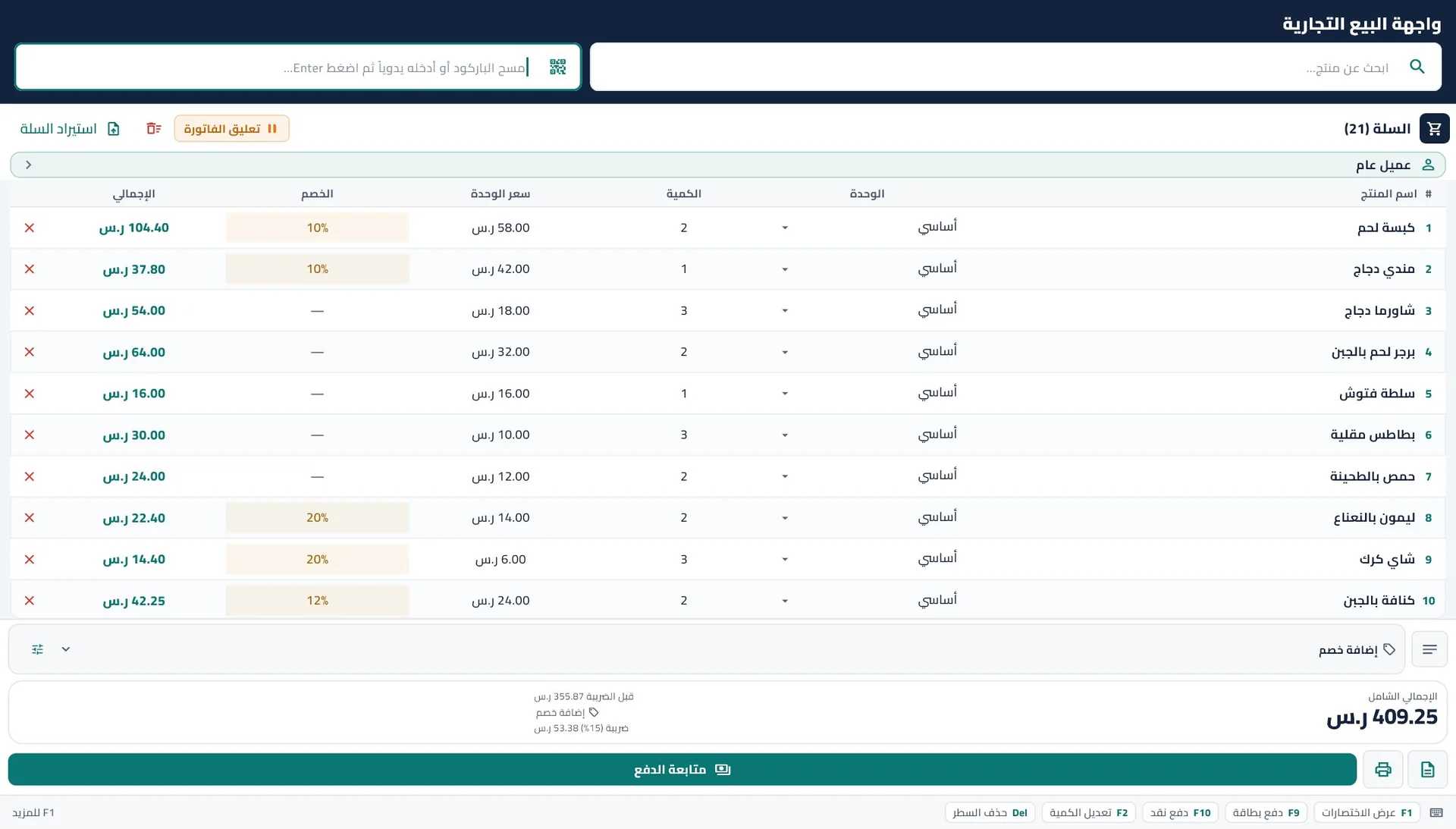
Retail sales screen: a barcode item table with units and a discount per line

Barcode sales

  • An item table with barcodes and units
  • Discounts per line or on the whole bill
  • F2 for barcode, F9 and F10 to pay
  • Customers, debts and credit sales
  • Sales returns with their own invoice

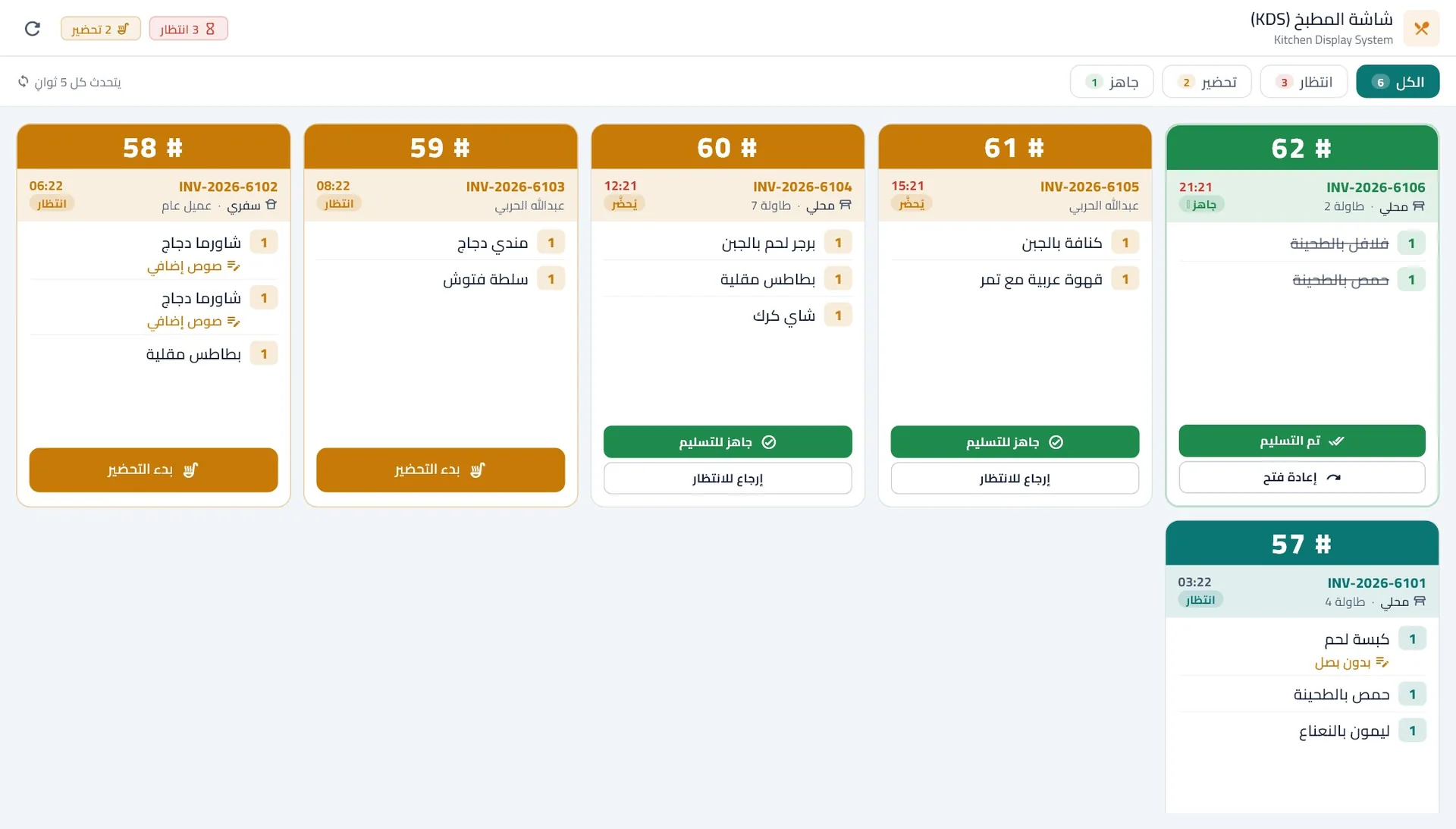
A kitchen screen that shows the chef only what matters

What to make, for whom, and for how long. Orders arrive over the local network and refresh every 5 seconds.

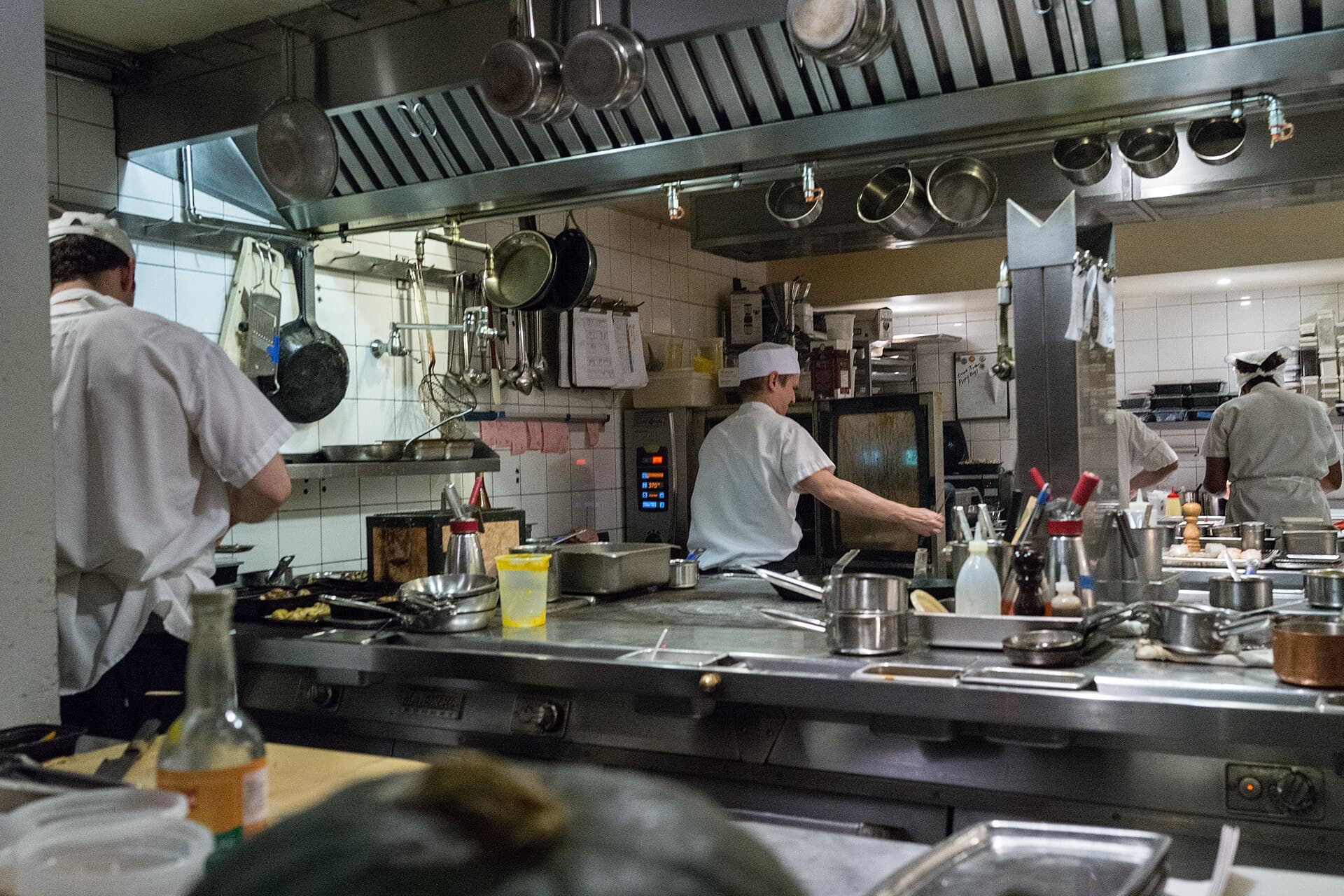
A restaurant kitchen during service
Kitchen display: order cards 57 to 62 marked waiting, preparing and ready, with a “no onion” note
  • Waiting, preparing, ready

    A color per status, and one button moves the order on.

  • A timer on every order

    How long each card has waited, so nothing gets forgotten.

  • Notes under the item

    “No onion” and “extra sauce” show right under the item name.

  • Dine-in, takeaway, delivery

    With the table number or customer name on the card.

Technical specifications

For accountants and IT leads: the full detail of every module.

ZATCA compliance

B2C & B2B — Phase 2, QR, signature, XML.

  • Simplified (B2C) and standard (B2B) with QR, signature, XML
  • Phase 2 settings, ZATCA report, batch submission
  • Regenerate legacy invoices
  • B2B: VAT number, CR, national address
  • 58/80mm or A4 receipts — clear QR

Point of sale — speed & flexibility

Fast checkout, barcode, multiple payment methods.

  • Classic POS + Trade POS for grocery and hardware
  • Barcode scan — quick add and search
  • Cash, card, transfer, mixed payment
  • SoftPOS mada — integration-ready (Nearpay / Geidea / Tap / STC Pay)
  • Item notes and variants (sizes/units)
  • Promotions, discounts, and coupons

Inventory & purchases

Live stock, stocktake, and purchasing.

  • Quantity tracking, movements, and alerts
  • Periodic stocktake and reconciliation
  • Barcode label printing
  • Purchase invoices and purchase returns
  • Partial/full sales returns

Customers & receivables

B2C & B2B, receivables, and loyalty.

  • Individual and company records with ZATCA data
  • Track receivables and payments
  • Configurable loyalty program

Restaurants & delivery

KDS, kitchen, and delivery channels.

  • Kitchen display (KDS) — prep and delivery status
  • Category-to-kitchen-printer mapping
  • HungerStation / Jahez — pricing and commissions
  • Sales and commission reports per app

Shifts & control

Shifts, permissions, and audit.

  • Open/close shift — float and cash reconciliation
  • Close report thermal/A4
  • Manager, supervisor, cashier roles
  • Audit log for sensitive actions

Reports & dashboard

Professional dashboard and export.

  • Day/week/month sales and comparisons
  • Report center: VAT, P&L, cashier, materials
  • Excel/PDF export
  • Invoice log — search and filters

Branches & network

LAN, Supabase, and offline mode.

  • Server + LAN clients (WiFi)
  • Supabase sync — multiple branches
  • Branch revenue comparison and stock alerts
  • Offline sales — sync when online

Printing & setup

Multiple printers and backup.

  • USB, Bluetooth, IP, PDF
  • 58 / 80 / A4 paper
  • First-run wizard — store, tax, printer
  • Automatic backup and restore

License & security

Secure licensing and local data.

  • Key activation and device binding
  • Local SQLite — speed and privacy
  • LAN network code for connection security
  • License management from server

System requirements

Operating system
Windows 10 or 11 (64-bit), or Android
Processor
Core i3 or Ryzen 3, i5 recommended
Memory
4 GB, 8 GB recommended
Screen
1280×800 or larger, touch supported
Printer
USB or network thermal, e.g. Epson TM-T88

MasarCRM — Operations management

Alongside Masar POS, MasarCRM manages licenses, subscriptions, and support tickets.

Central management
Licenses, subscriptions, devices, and branches in one dashboard.
Tickets & follow-up
Technical support with a clear history per business.
Renewals & alerts
Alerts before subscription expiry.
Team permissions
Roles for owners, accountants, and branch managers.

Try Masar in your shop first

We install it, train your team, and stay with you after go-live.

or call+966 59 349 1183
WhatsAppRequest a free trial